← Work
Trust & Safety Content Systems

Pattern for permission settings in Zendesk

In business software products, permissions control what a user can see and do. In Zendesk, a role is a set of permissions assigned to a team member. While most permission settings are configured within roles, others are scattered throughout the product suite.

Pattern for permission settings in Zendesk
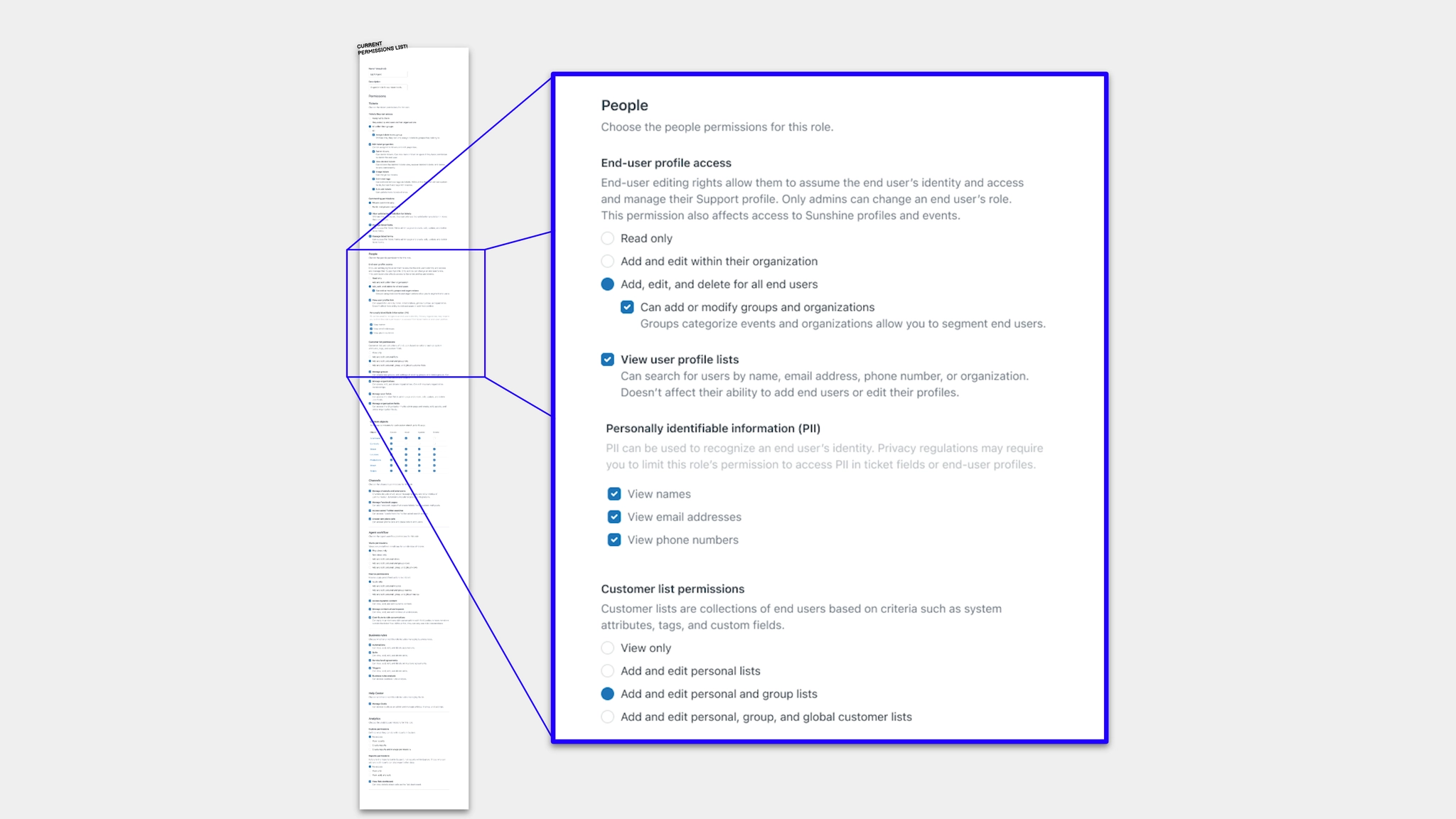
  • The role permissions list had grown overwhelmingly long
  • No content or design patterns had been established, so each permission setting was worded and formatted differently
  • Lack of established patterns led to inconsistent organization, labelling, and formatting of permission settings
  • Whenever a new permission setting was added, the PM and designer had to start from scratch — deciding how to structure, organize, and word the options
  • With a shift to a new self-service strategy, feature teams across Zendesk began adding new permission settings independently, rather than relying on the dedicated Permissions team

How might we … make it easier to add clear, consistent new permission options?

  • Product designer for permissions
  • Product manager for permissions
  • Permissions engineers
  • Documentation writer

I helped design new and updated permission settings to understand the system, identify user needs, and establish clarity and consistency — while simultaneously identifying emerging patterns, drafting potential standards, and stress-testing ideas. I collaborated closely with the content design team and product designers working on features with permission settings.

The result was two key deliverables:
  1. A writing guide for PMs, product designers, and engineers — covering what makes a permission, basic labeling patterns, existing terminology to use, common verbs, and how to organize permission settings
  2. Starter templates — ready-to-use templates for standalone permissions and CRUD (Create, Read, Update, Delete) option sets, making it as easy as possible to follow the standards
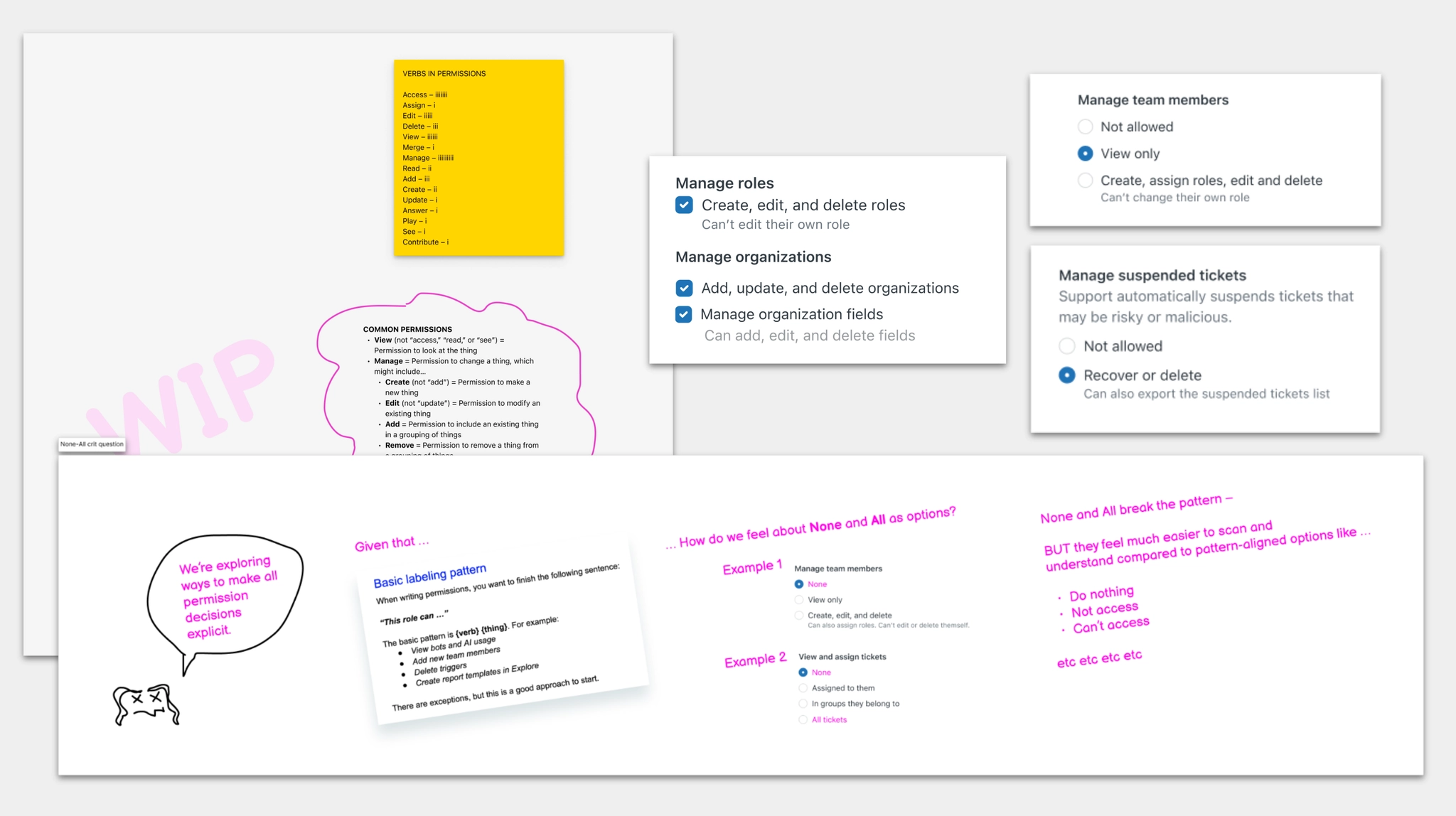
Emerging patterns in permission settings

Emerging patterns: mapping inconsistencies across existing permission settings to identify what standards were needed.
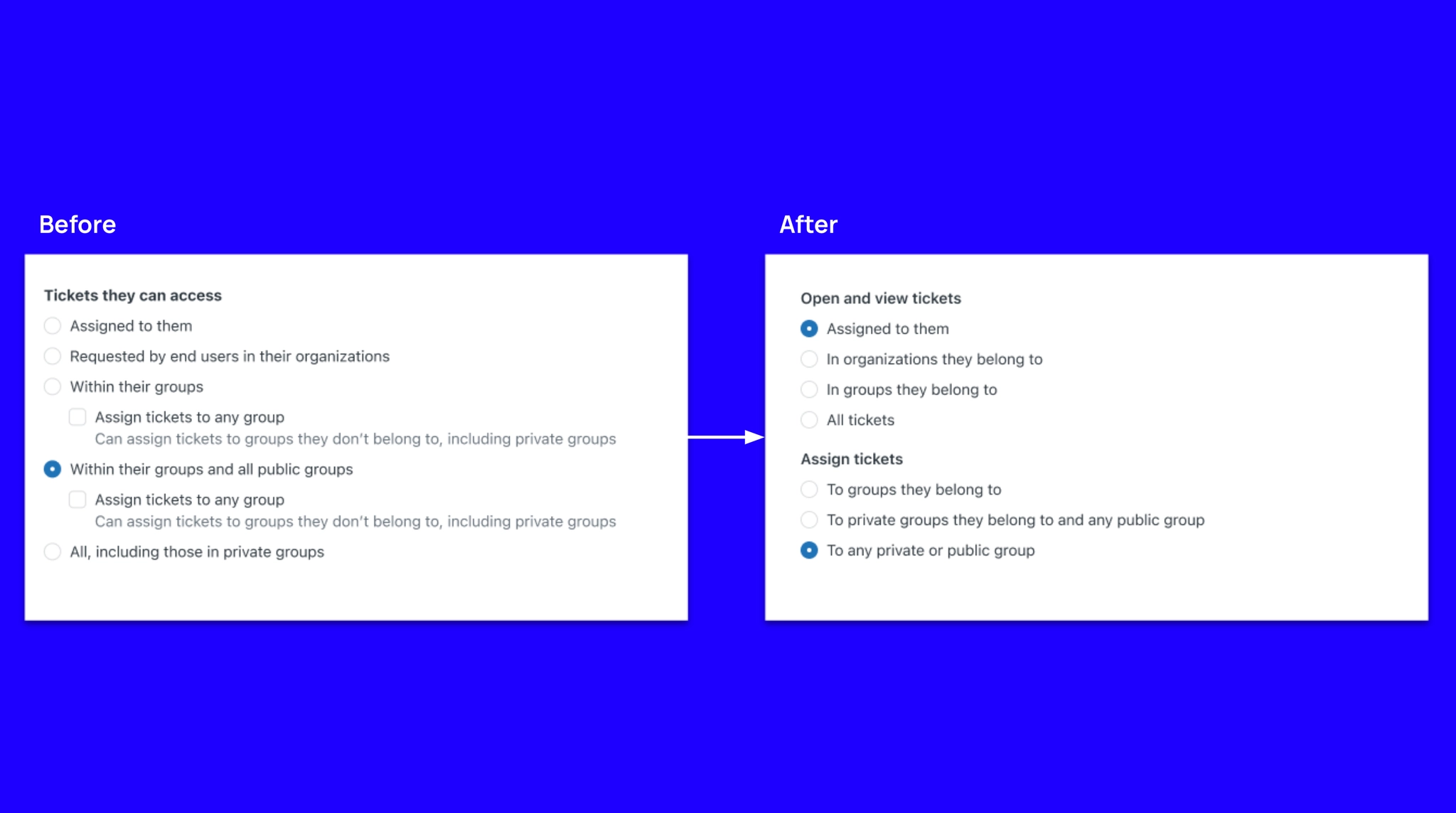
Updating existing permission settings

Updating existing settings: applying the new pattern retroactively to bring consistency to the existing permissions list.
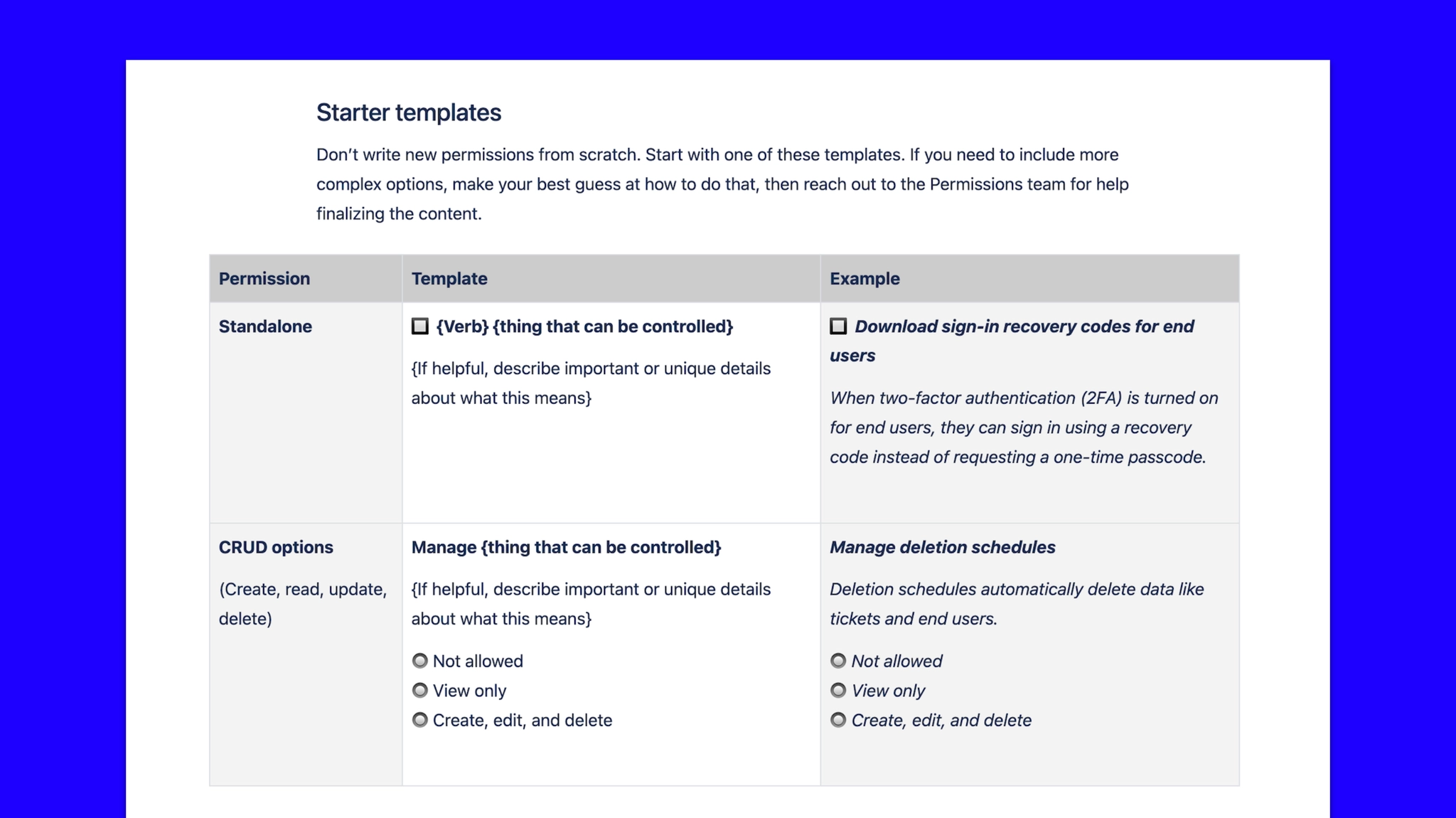
The established permission settings pattern

The established pattern: consistent structure, verb choices, and labeling applied to every permission setting across the product.
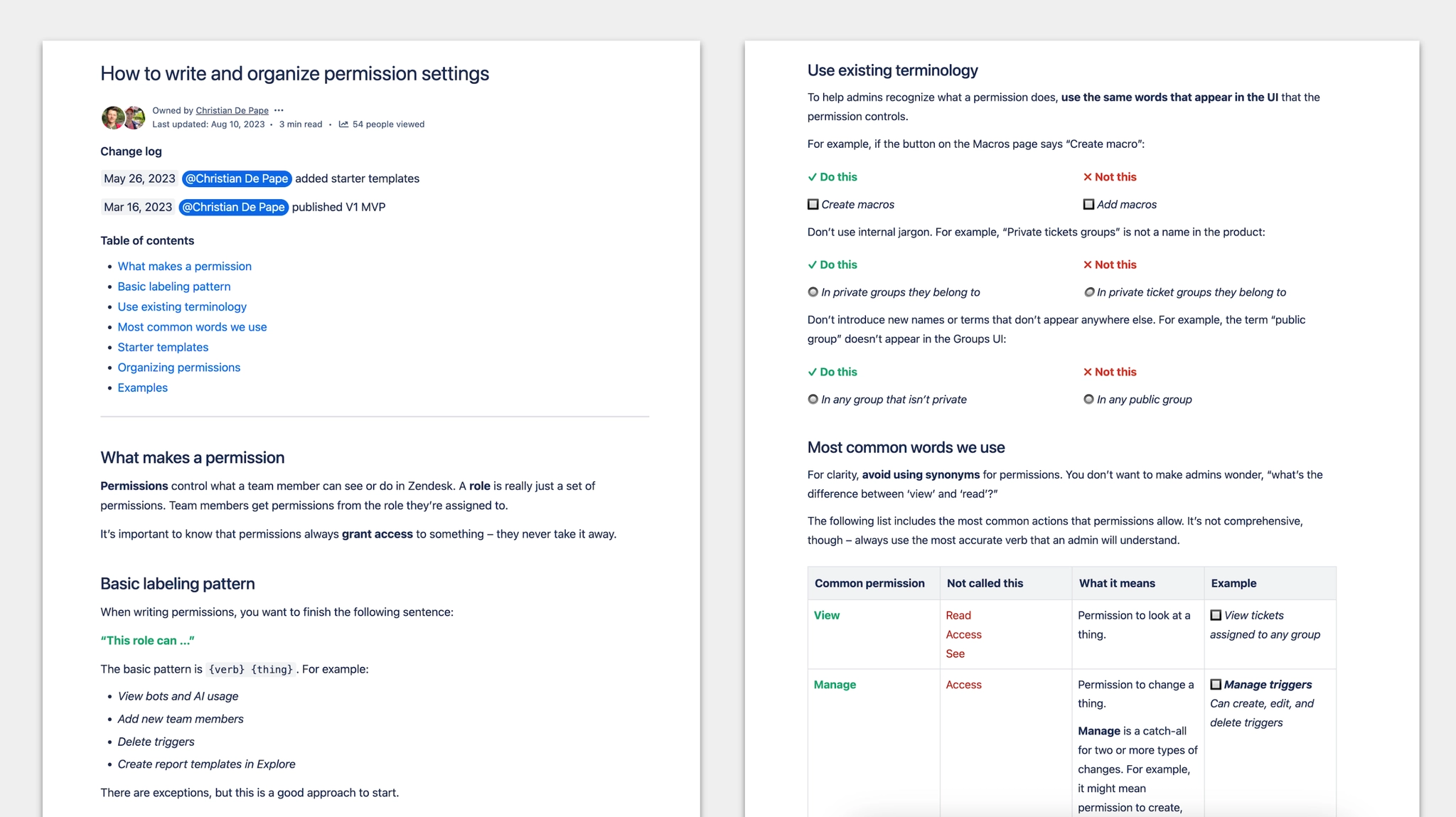
Permission settings writing guide

The writing guide for PMs, designers, and engineers — covering labeling patterns, terminology, and starter templates so any team can add new settings independently.

  • Publishing the guide significantly reduced the need for a content designer to assist with new permission settings
  • The new pattern streamlined the design process, leading to faster feature releases
  • As a result, the Permissions team released more new settings than planned in the roadmap
← Work Next: AI feedback pattern →

Contact