← Work
Content Systems

Writing guide for Zendesk's Admin Center

Admin Center is where you configure your Zendesk account and manage feature settings. Product teams working across the Zendesk suite contribute new and updated page designs to Admin Center.

Writing guide for Zendesk's Admin Center
  • Admin Center had many informal design and content patterns that weren't well documented
  • Product teams struggled to identify and incorporate established patterns, often resulting in prolonged design reviews with the Admin Center team
  • Admin Center was losing its dedicated content designer (me), leaving design teams without a go-to resource for content questions

How might we … replace an embedded content designer with a comprehensive, easy-to-follow writing guide?
  • Product designers dedicated to Admin Center
  • Product designers who contributed to Admin Center
  1. Audit. I audited the most frequently asked questions I received about Admin Center content, as well as the design feedback I repeated most frequently. This gave me a clear picture of what the guide needed to address.
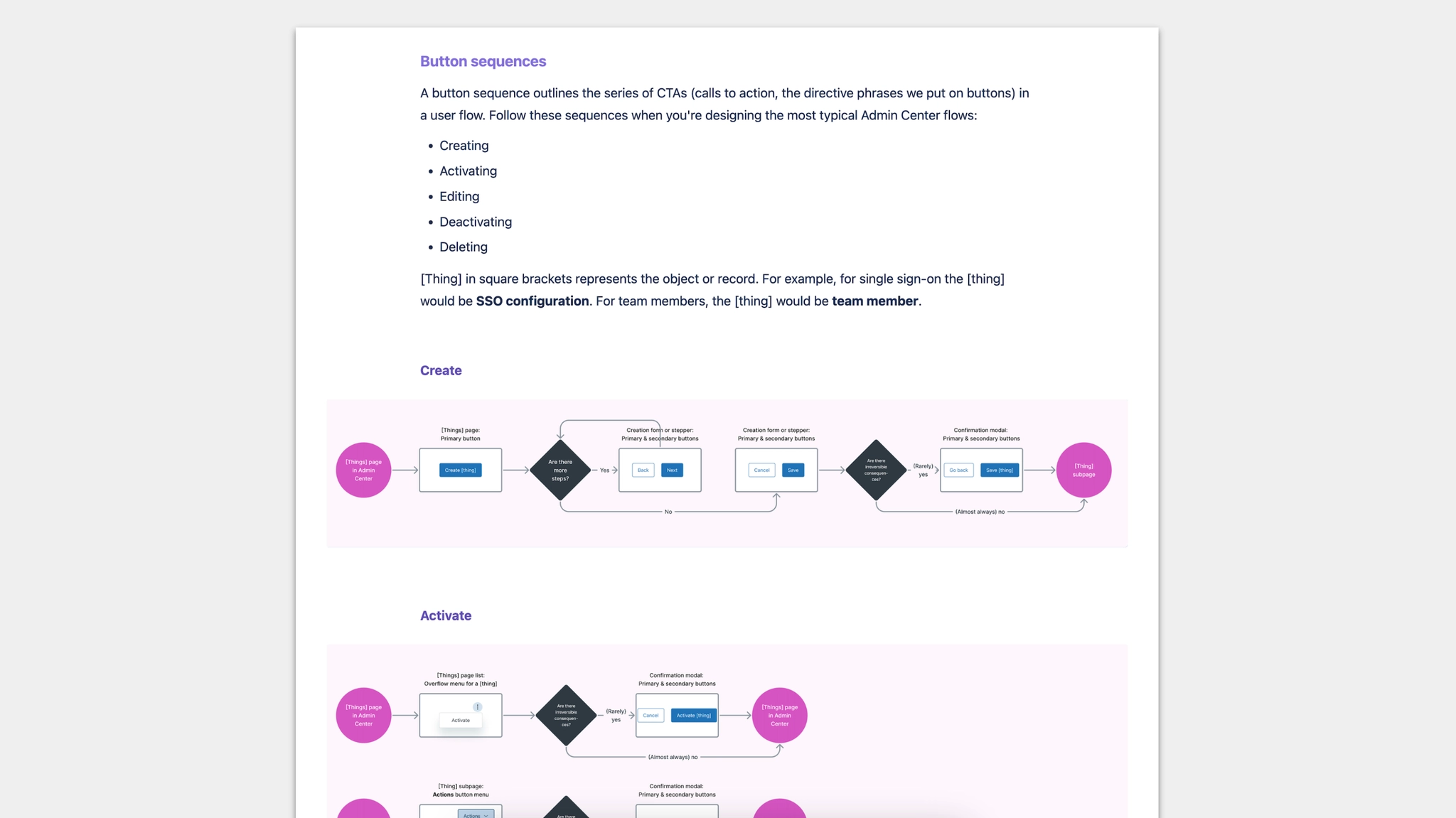
  2. Collaborative pattern mapping. The Admin Center design team brainstormed the most common flow patterns, and collaboratively sketched them out as task flows.
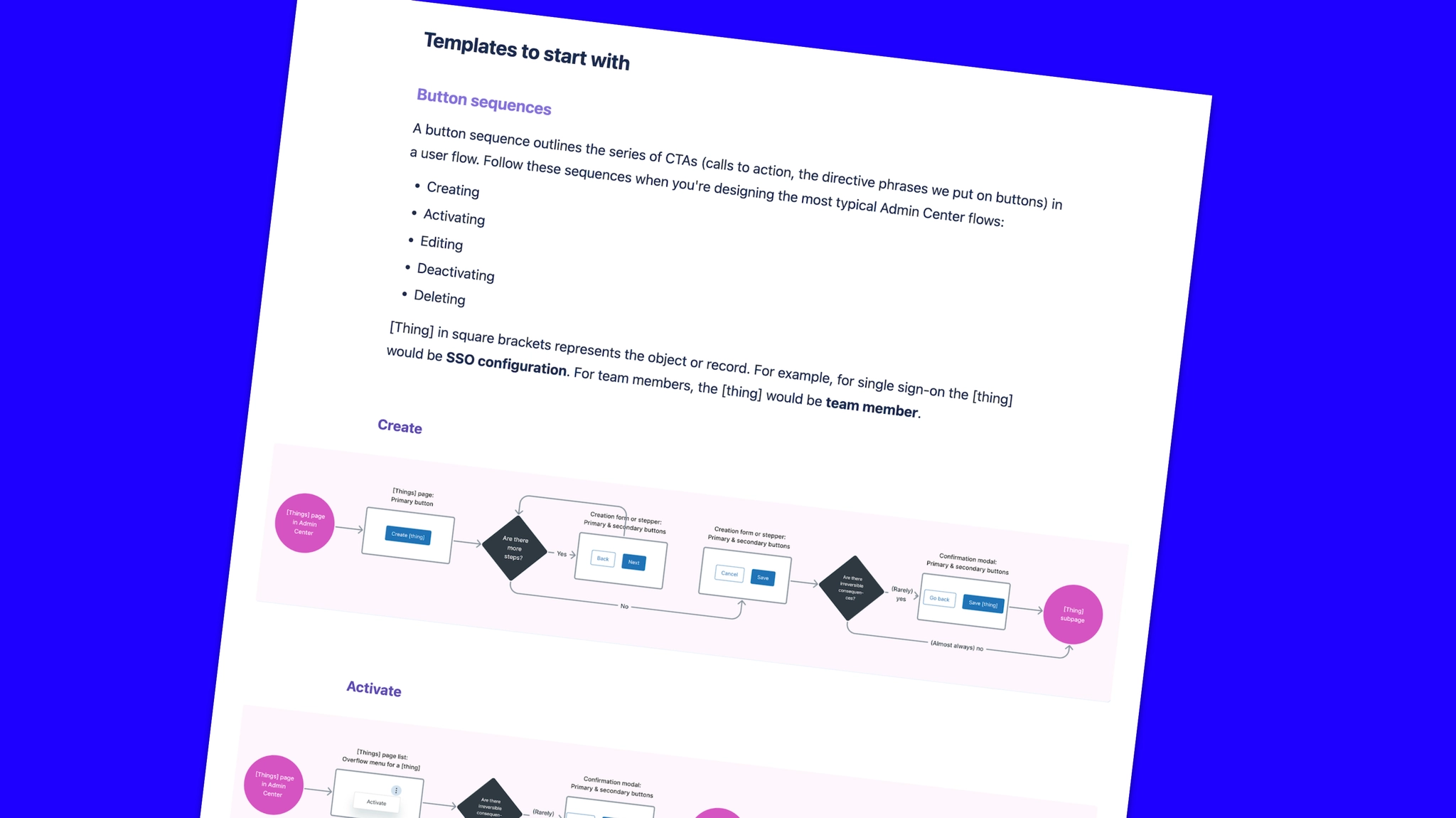
  3. Templates. I assembled a series of templates including "button sequences" (call-to-action maps with a descriptive name tailored to an audience of product designers) and "page anatomies" (content patterns for the most common page layouts), as well as a glossary of Admin Center-specific terminology — covering people, things (nouns), and actions (verbs).
  4. Validation. I validated and refined the draft by getting feedback from Admin Center product designers as well as product designers who had contributed pages and flows to Admin Center.
Button sequences template

Button sequences: a call-to-action map outlining the series of CTAs in a user flow, tailored to the most common Admin Center tasks.
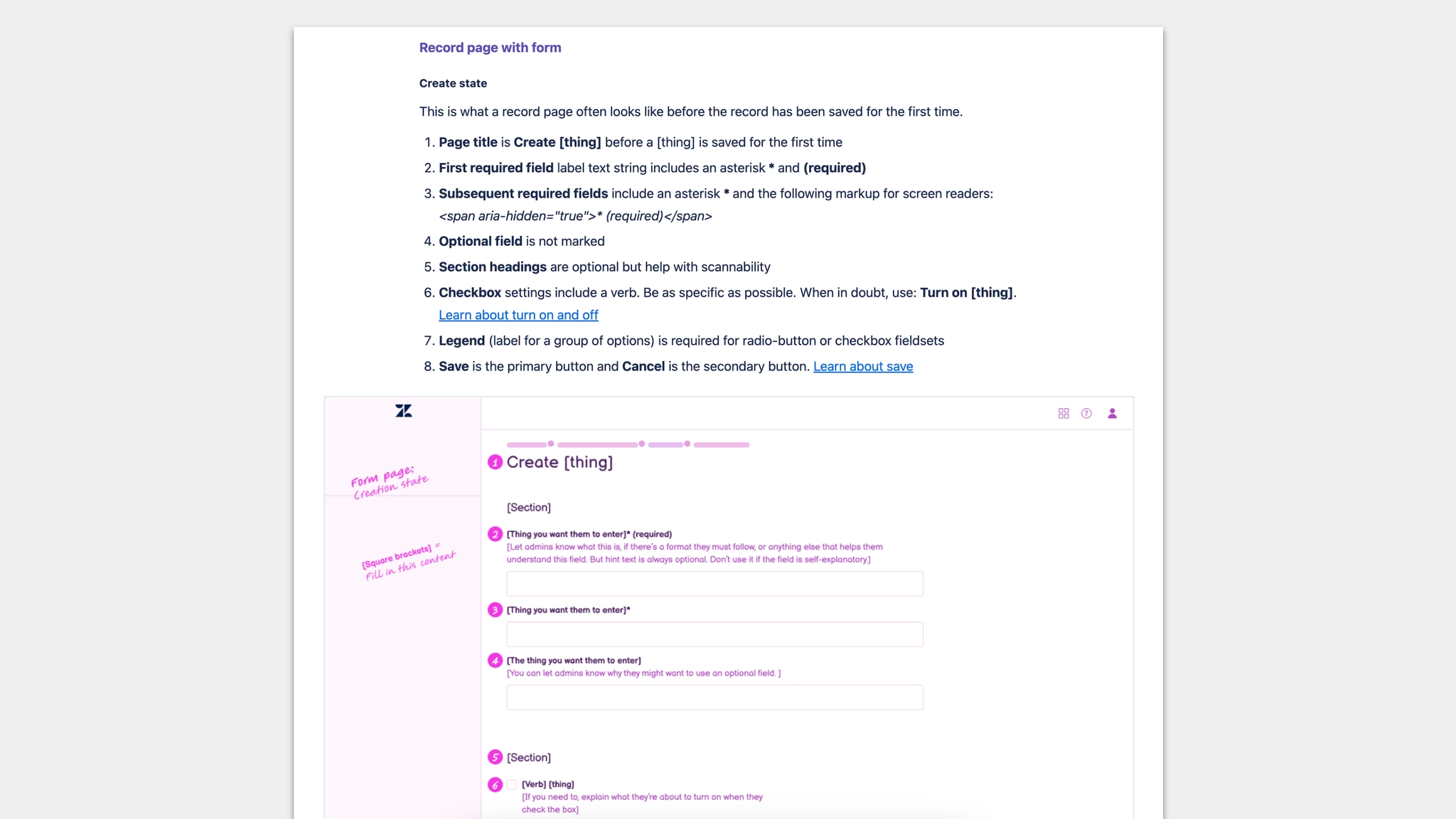
Page anatomy template

Page anatomies: content patterns for the most common Admin Center page layouts, showing how every element — labels, fields, helper text, toggles — should be written.
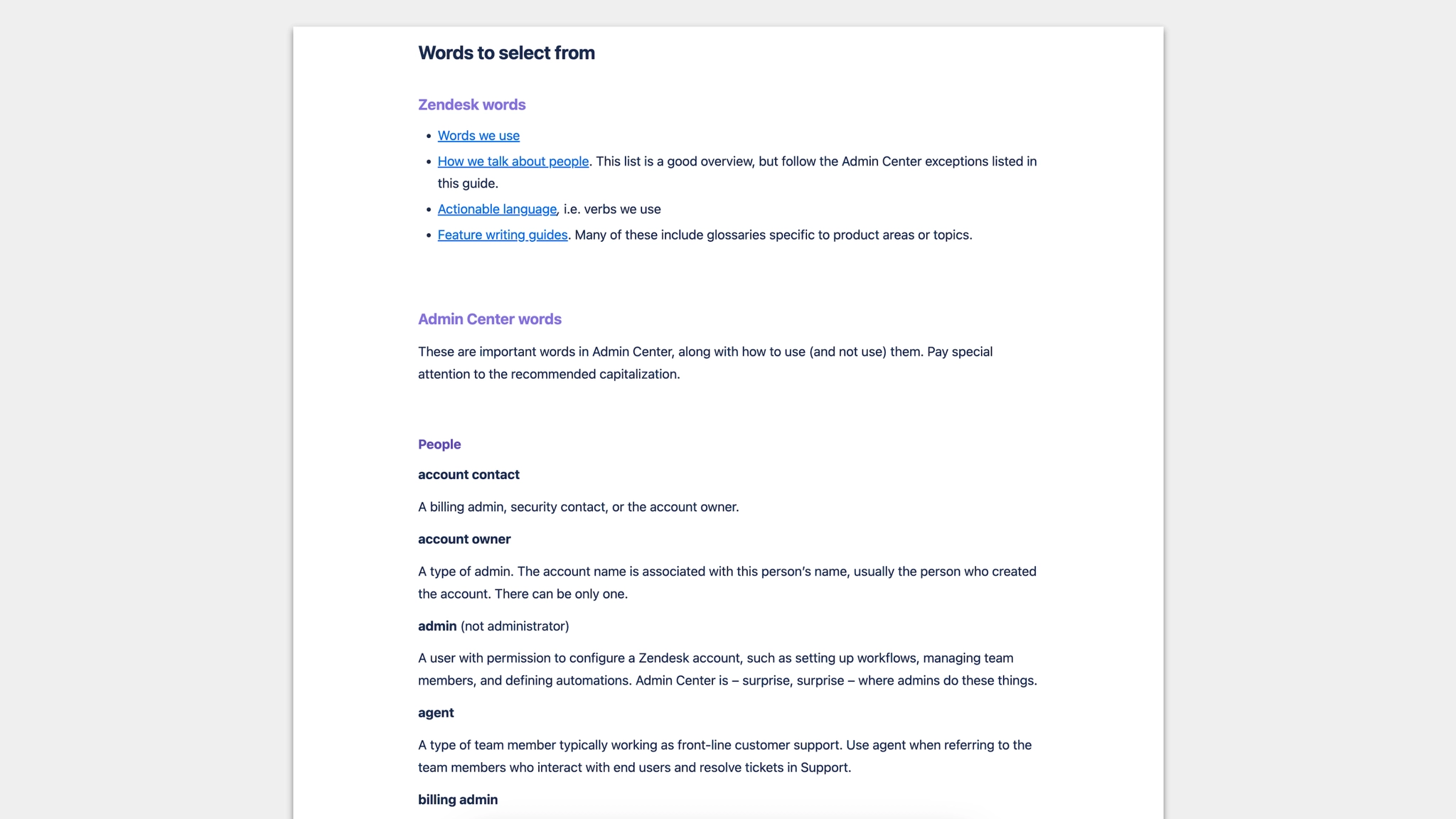
Admin Center glossary

Glossary: the definitive list of Admin Center terminology — people, things, and actions — with usage guidance and recommended capitalization.
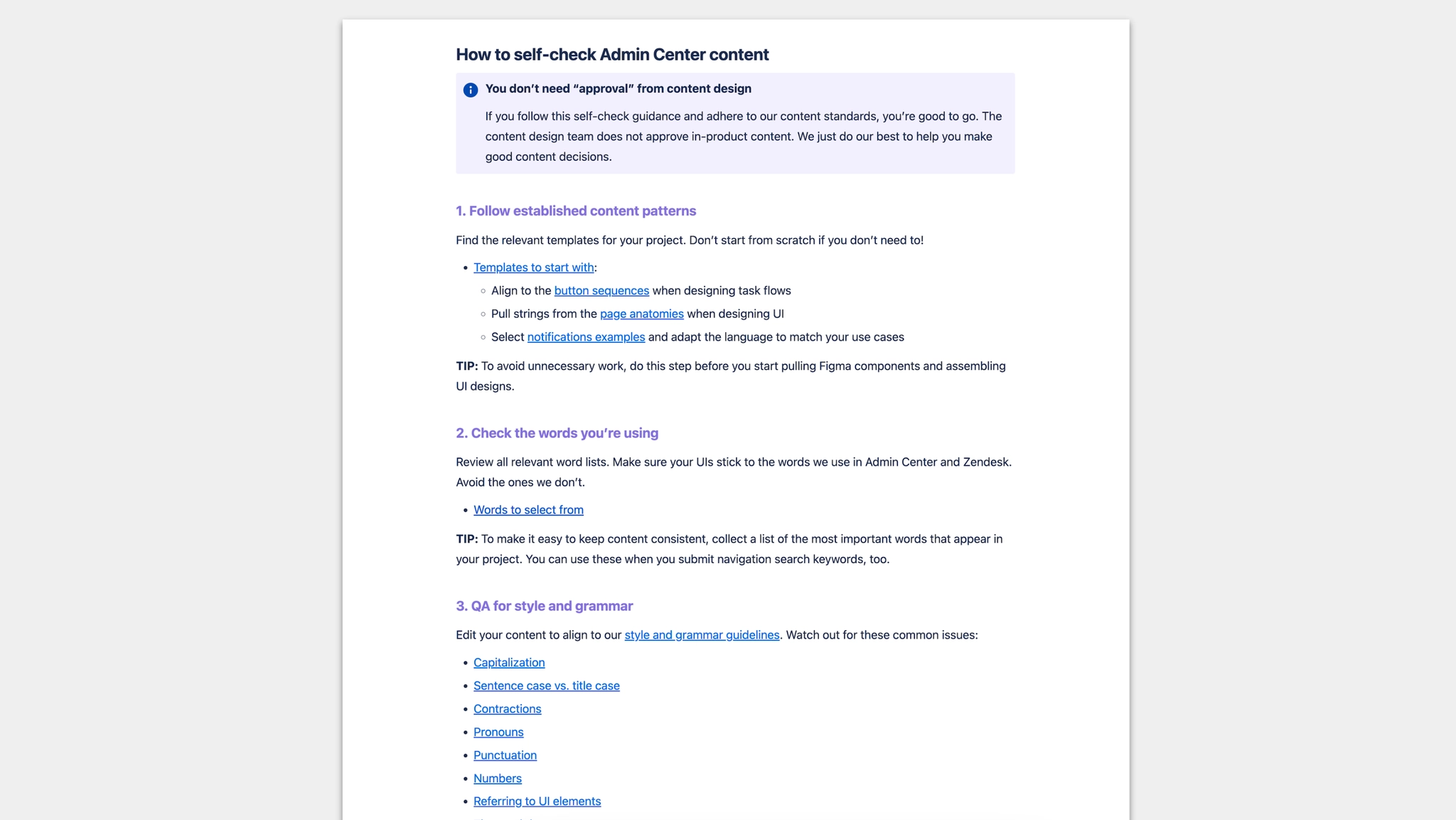
Self-check list

Self-check list: a step-by-step checklist product teams can use to review their own Admin Center content before design review — without needing a content designer in the room.

  • The guide successfully replaced me in the Admin Center design review process
  • The Admin Center design team used the guide as a key resource when putting together an Admin Design Figma Kit for teams to use
  • The VP of Design referred to the guide as a model for how we should document design guidance across the entire Zendesk product suite
← Work Next: AI disclosures framework →

Contact