Problem
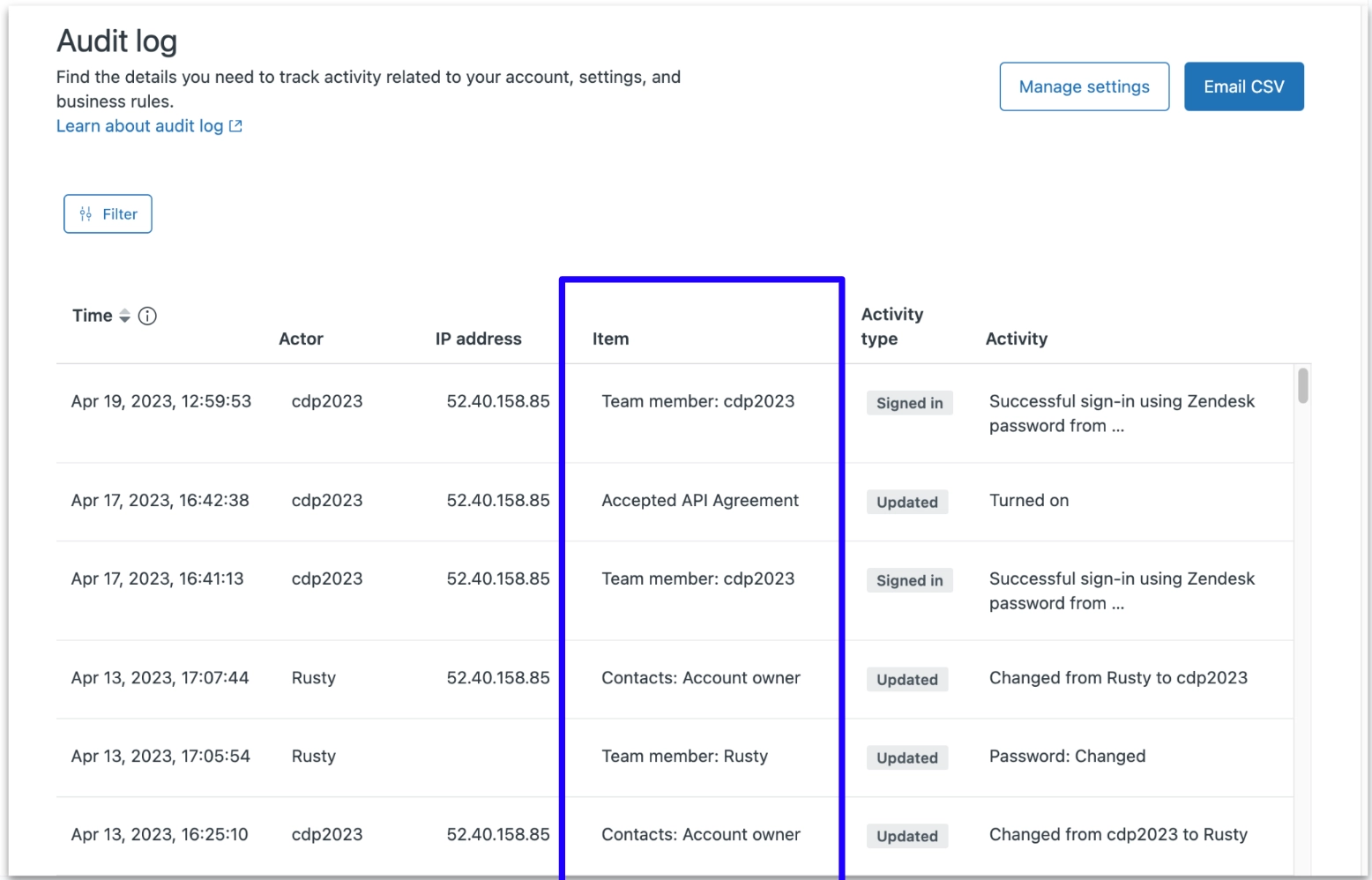
The most common use case for the audit log was when an admin already knew what had been changed and needed to find out who made the change.
But the audit log captures thousands and thousands of events, and one account can have millions of items. Admins frequently expressed their frustration:
- "It's impossible to find what I'm looking for. I need to scroll and scroll and scroll and read every line."
- "We have to keep our own audit log in a spreadsheet."
Opportunity
How might we … help admins zero in on the item they're looking for?
Collaborators
- Product designer
- Product manager
- Engineers
- Localization
- Accessibility
- UX researcher
- Technical writer
Approach
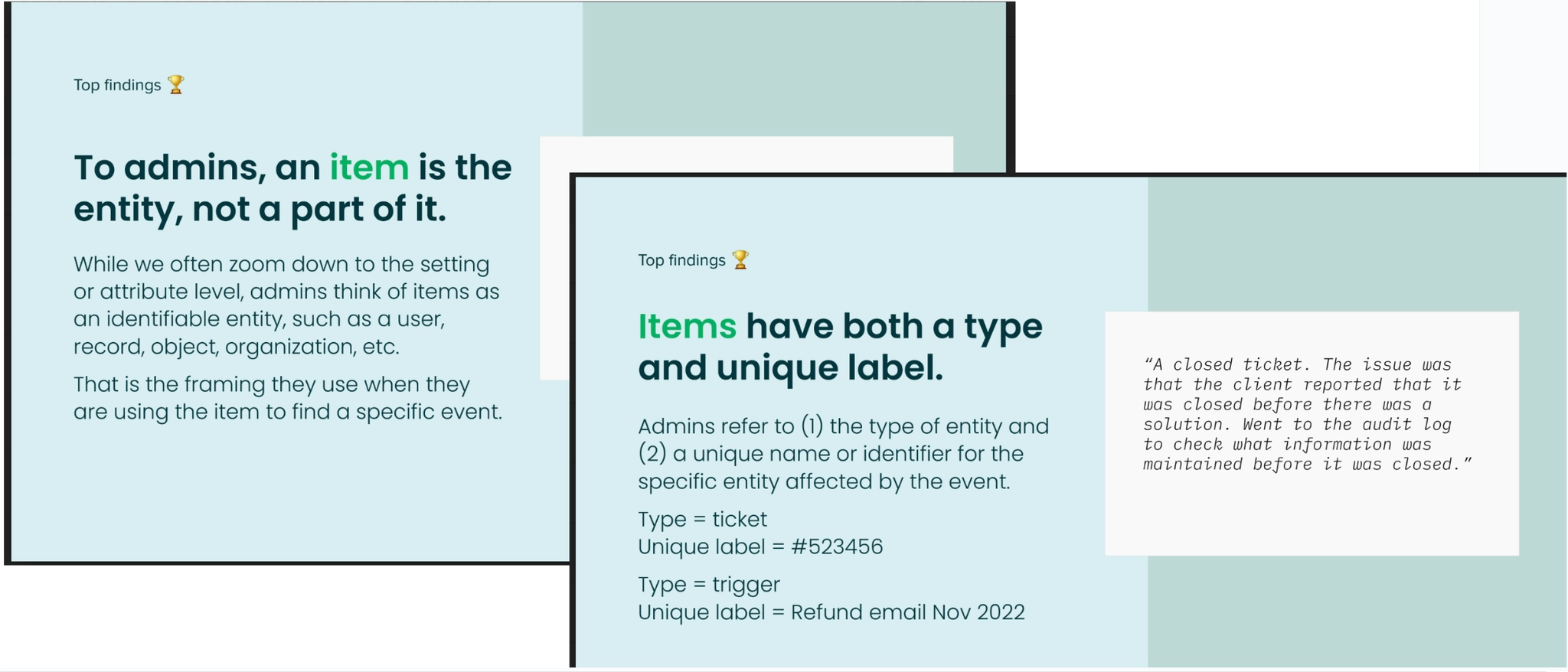
- User study. We interviewed admins to learn what they think "item" represents — and found that to an admin, an item is the entity, not a part of it. Admins think of items as identifiable entities like a user, record, or organization. That framing determined how we'd name and organize everything.
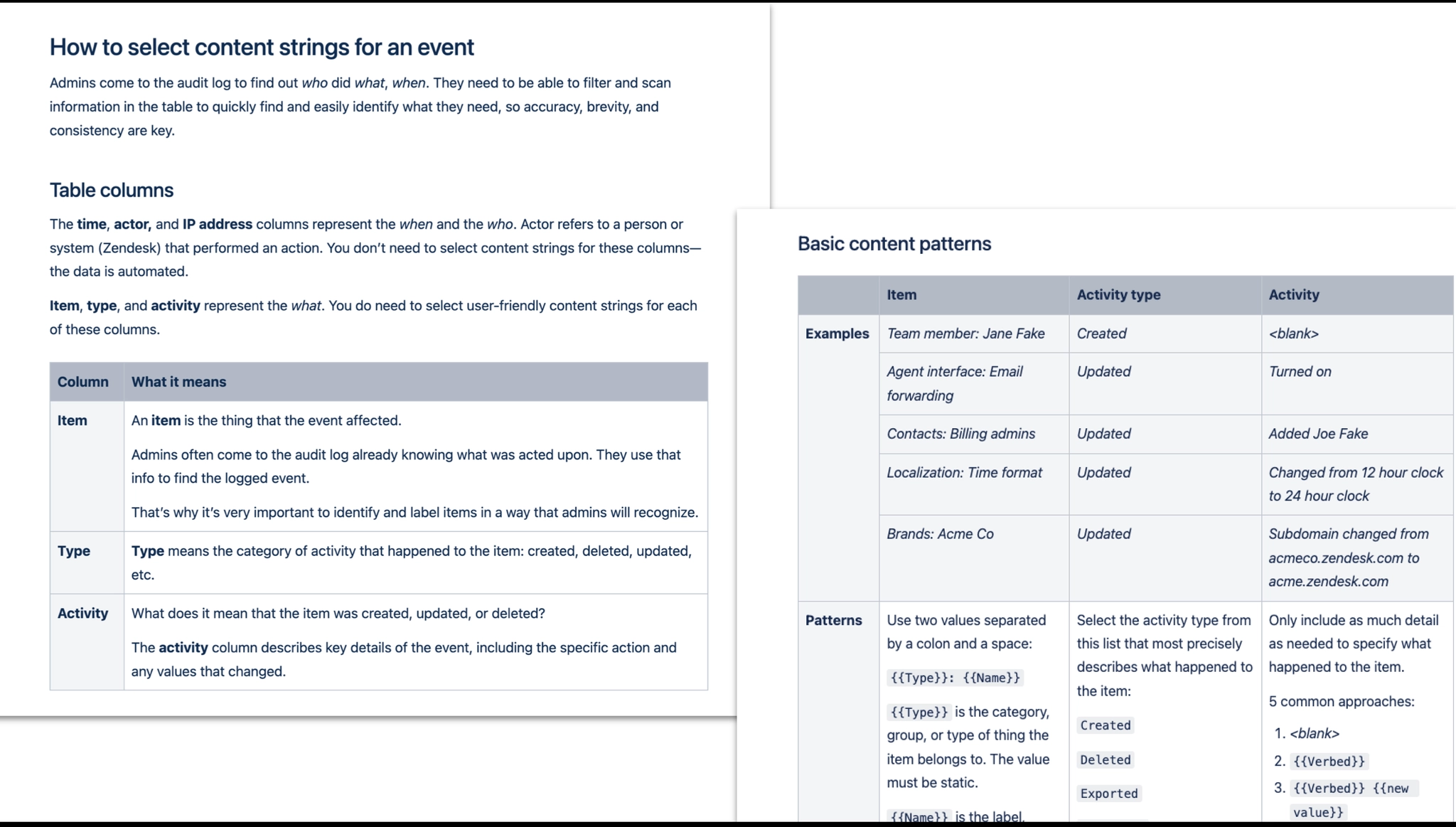
- Data model and content pattern. Based on user study findings, we matched our data model to the admin's mental model. We implemented a new content pattern for the item by splitting it into two values: a type categorization and a unique name. Before: no consistent standard. After:
{Item type}: {Name or ID}.
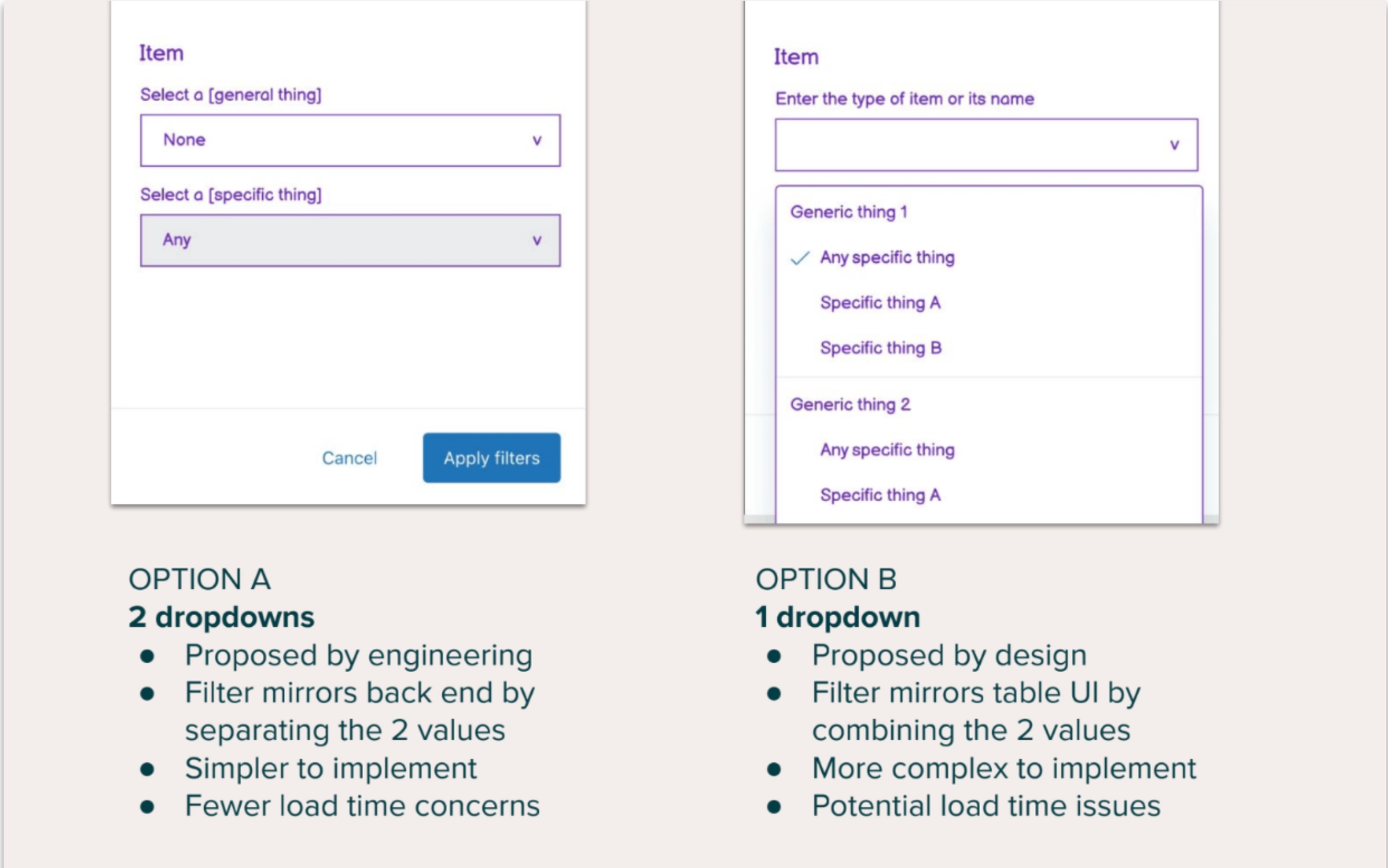
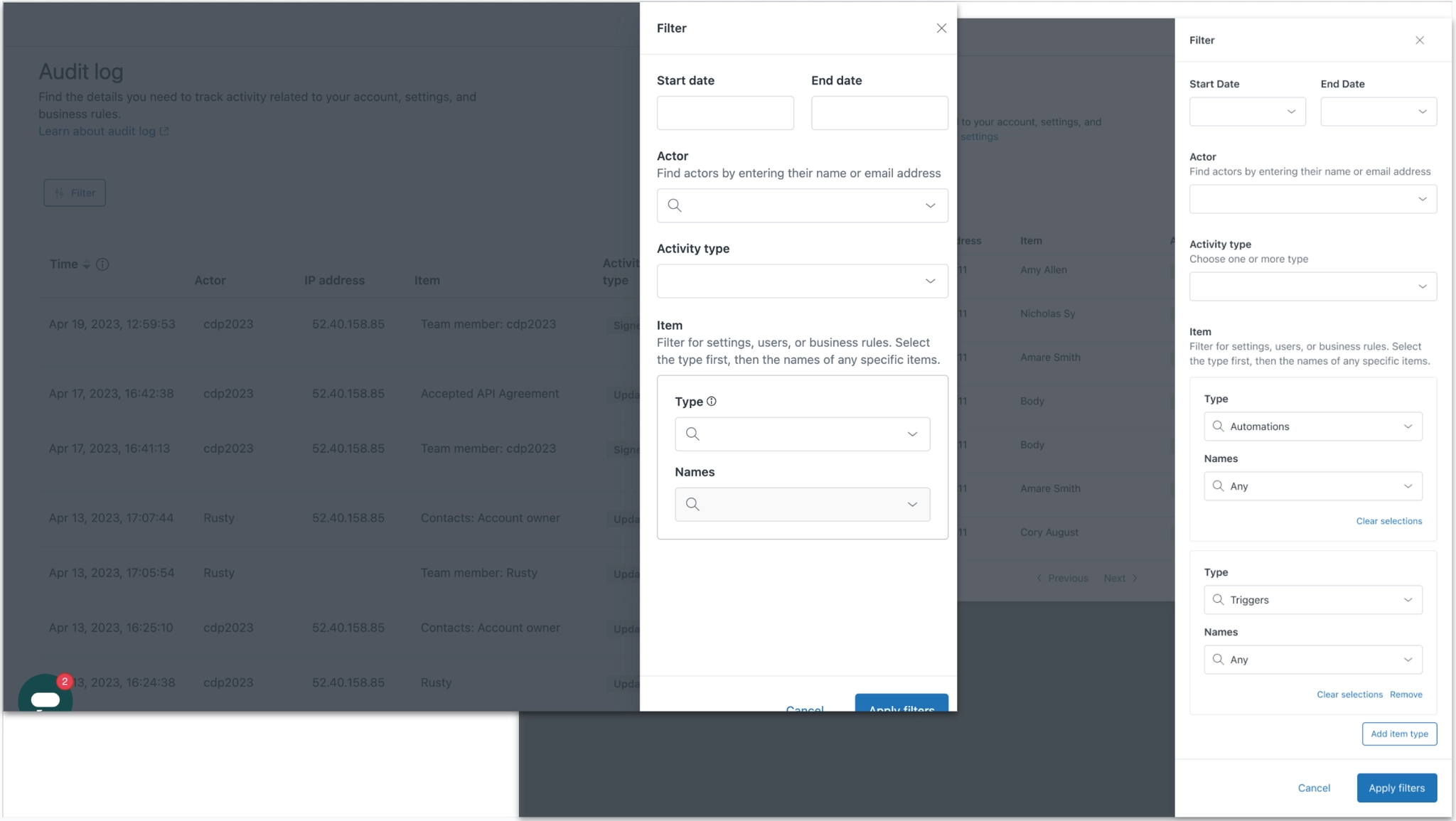
- One dropdown vs. two. The product designer and I preferred a simpler, single dropdown solution. Our engineers argued that a two-dropdown solution would be less technically complex. To come to a decision, we tested both solutions with users. To my surprise, the two-dropdown option was no less intuitive than the single dropdown option — so we went with it.
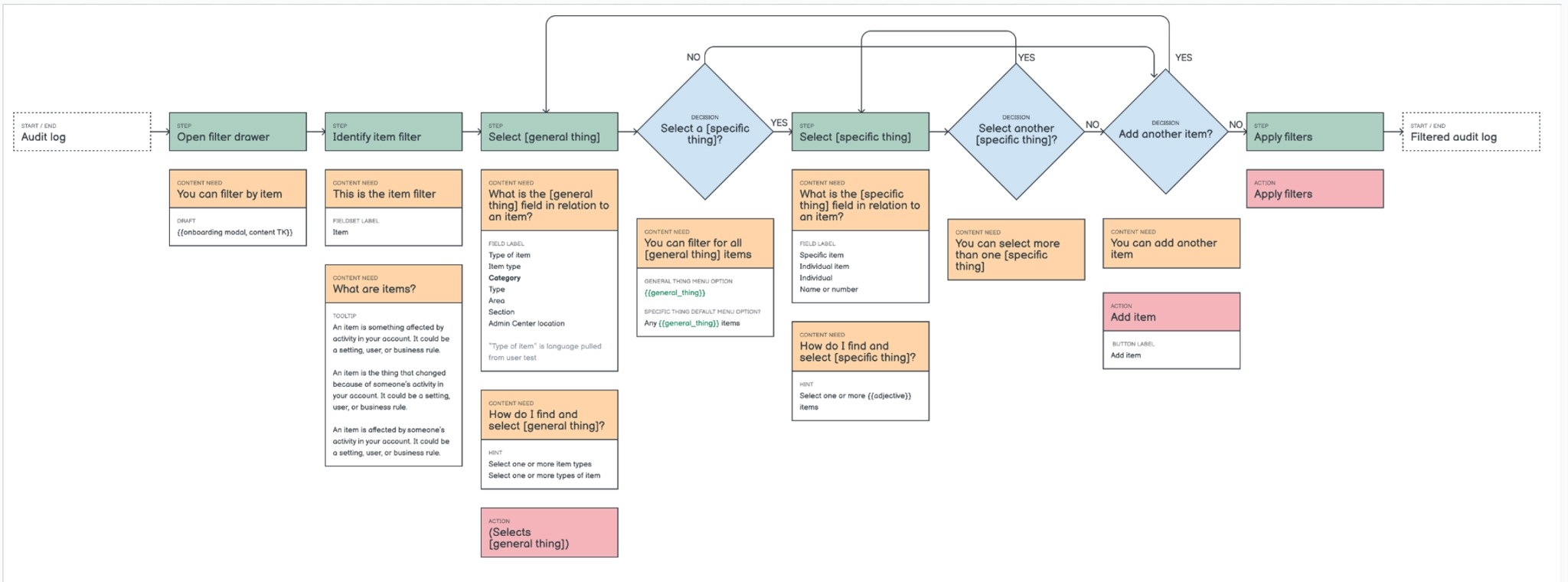
- Content needs map. I mapped out all the information a user would need to successfully filter the audit log by item — covering every state of the UI, every possible selection, and every edge case.
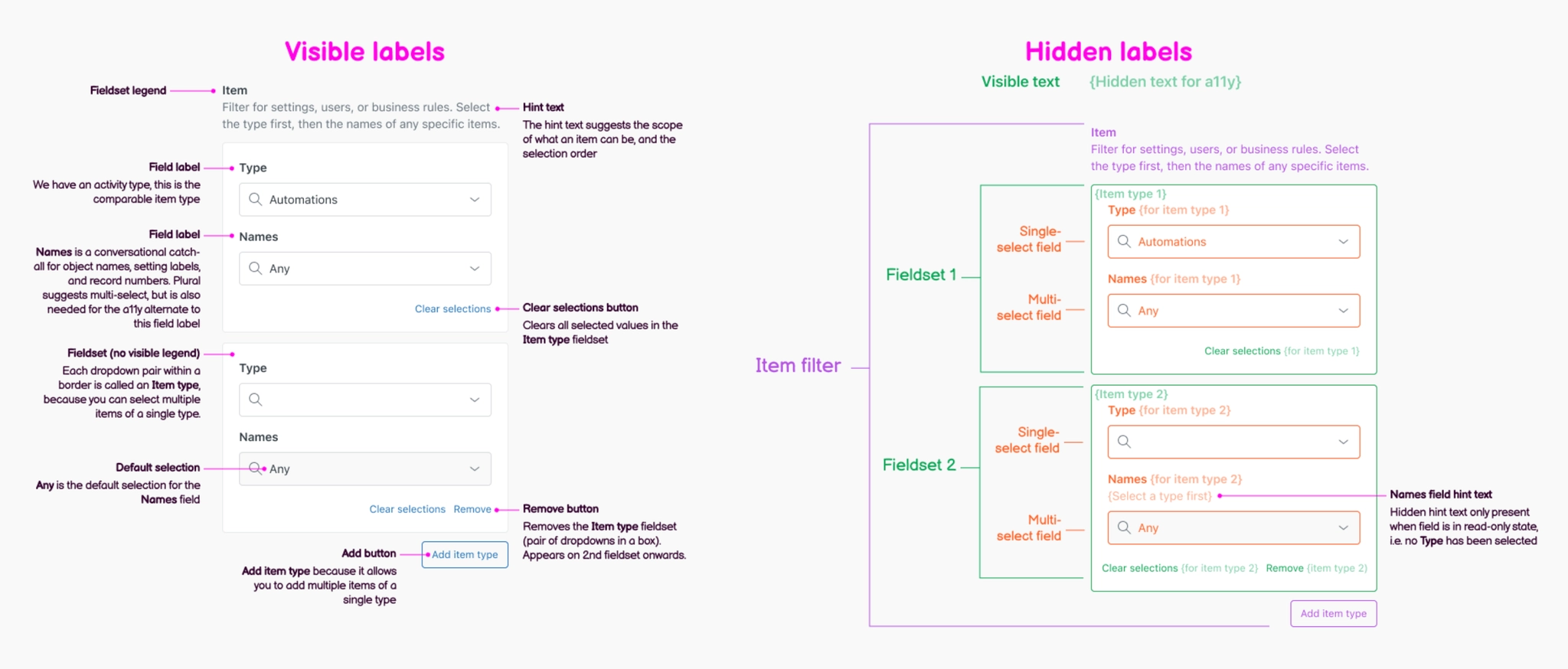
- UI content strings. I drafted both visible and hidden content strings to make sure this complex UI could be used by all admins. I consulted with our accessibility and localization teams, and ran user tests to make sure users understood the content.
- MVP and second release. We designed two versions of the filter UI — a simpler first release allowing filter by a single item, and a second release allowing filter by multiple items.
- Self-service instructions for PMs and engineers. Product teams across Zendesk add and manage events in the audit log. I wrote a how-to guide specifically for product managers and engineers, equipping them to label items correctly and maintain the usability of the new filter.
Results
- 70% increase in admins applying a filter to the audit log, indicating users found value in the new filter and understood how to use it
- Significant decrease in the number of audit log events I needed to write, because the clearer content standards and guidelines equipped product teams to do it themselves